Check Out Our Financial Aid Tools
College Admissions
College Admissions
Preparing for College
The Best College for You
What to Study
Applications
Education Options
Education Options
Private Universities
Public & State Universities
Community Colleges
Scholarships
Scholarships
African American Scholarships
Latino Scholarships
Native American Scholarships
Women Scholarships
College Grants
College Grants
Federal Grants
Merit Based Grants
Need Based Grants
Student Loans
Student Loans
Federal Student Loans
State Student Loans
No Co-signer Student Loans
Bad Credit Loans
Student Loan Consolidation
College Survival
College Survival
Financial Aid Tips
The Digital Student Blog
The word is out – too many students are borrowing too much money to earn their college degree. While it can be difficult to control the cost of tuition and fees, students can make their college years far more affordable by simply focusing on reducing the costs of the other expenses incurred while in school.
 Often referred to as incidentals, these aspects collectively can add thousands to the cost of a year of college.
Ditch the Car
While attending college, one way to reduce costs is to forgo a car while on campus. Instead, we would suggest, in order, that students walk, bike or ride the bus.
While most college students think they need a car, a set of wheels means a number of expenses including gas, the cost of parking (or parking sticker?), insurance and maintenance. Throw in the other headaches, even finding a place to park and the fact that everyone will want to borrow your wheels and a car is often a significant negative.
While on campus, save those costs by walking or bicycling. In addition to the cost savings, there are also the basic health benefits of the extra exercise.
And for those cases where it is truly not possible to walk or bike, then ride the bus. Public transportation is generally inexpensive and in most college cities, students pay even lower rates or no fares at all during certain times of the day.
The hitch is you may not be able to go at exactly the time you would prefer. But with a little effort, you can work your schedule around that of the local buses.
Buy Used or Rent your Textbooks
Depending on your class load, if you purchase new books at the campus bookstore you can spend several hundred to a $1,000 per semester. If you take the time to shop around, you can get most cheaper online.
Even better, look to obtain used copies of the same books. You can find copies online at Amazon.com, Half.com or one of the many used bookstores out there. Purchasing used will save you 50 cents on every dollar if not more.
Yet another option is to consider renting your texts from one of the newer sites such as Chegg.com or BookRenter.com. This is an even better option than purchasing used if the book is not one you think you will want to keep as a resource when you graduate.
Take Advantage of Free Activities
One of the best aspects of college is all the peripheral activities, the concerts, the parties, the sporting events, etc., that occur almost daily on campus. But some of these activities can carry a steep price, especially the concerts and performances that feature nationally known talent or the football and mens basketball games.
However, the beauty of college is that there are always free or extremely reduced cost activities for students. Instead of attending the mens basketball game, students may attend the ladies game instead or one of the lower profile sports for less and in some cases, for free.
Another set of options includes the many campus recreation facilities, whether it be the first class tennis courts, the state of the art swimming pool, or fitness equipment. On campus there will generally always be times when students are permitted to use these facilities at no cost.
Lastly, from on-campus movies to concerts featuring new, as yet undiscovered talent, there are always a wealth of options where you can leave your wallet in the dorm room. The key is to do your homework and find these available options.
Eat In
 One of the biggest drains on the wallet for college students is the constant desire to eat out. It really doesn’t matter whether it is McDonalds, Dunkin Donuts or a higher end outfit, you can go through cash in a hurry over the course of the week by dining out.
If you bought a campus meal plan, use it to the fullest. If you don’t get up in the morning, then don’t buy a plan that includes breakfast. And don’t simply skip a paid for meal because you are less than thrilled with what is on the menu.
If you didn’t buy a meal plan, then make sure you create a budget for how much you can reasonably afford. In addition, spend the necessary time it takes to grocery shop so that you have foods you can prepare for yourself. Those Ramen noodles or cans of prepared pasta just might be necessary once or twice a week to get by but you can’t prepare them if you do not have them on hand.
Most importantly, get yourself a coffee pot and brew your own coffee or have a microwave and drink instant. One of the largest drains on the budget over the course of the semester is spending $2.00-$3.00 a pop to treat yourself to a cup of fancy coffee once or twice a day, four to five days or more a week.
Refrain from Drinking Alcohol
It is likely one of the staples of college for most students. But drinking and partying can prove to be very costly.
Drinking at a bar or restaurant is always expensive even during happy hour. And when you are drinking, your inhibitions and your self-control diminish even as your appetite grows. The result is blowing some more cash on an outrageously expensive plate of nachos or wings.
And drinking back at the dorm can also blow some serious cash if it becomes too frequent to say nothing of the costs for the delivery of that loaded pizza.
Work Part-time During the Semester
The best way to limit your borrowing is to find a part-time job. Working as little as 6-8 hours a week at minimum wage will produce $40-50 of spending money weekly.
Some students like to work part-time in the cafeteria where shifts last as little as two hours and three and a half at most. Short shifts are easy to work into your schedule and take very little energy and focus away from classes and study time. Just three such shifts a week can raise some steady spending money.
A second option is to research convenience store or desk jobs where you have to be available to answer the phone occasionally. In many instances, you will find accommodating businesses that will allow you to bring your school work into the job setting as long as you are committed to handling the job responsibilities when they arise.
When it comes to dealing with the cost of college, politicians have provided some significant help for many families.
One of President Bill Clinton’s signature policies involved the development of the Hope Credit. Designed to help middle class families with college expenses, the credit has proven to be of immense help to legions of families since its inception.
 But in what has to be some of the best news in recent years for families with college-age students, the Hope Credit has been significantly tweaked in a most positive way. In fact, the only major criticism could well be that the adjustments are currently in place for just tax years 2009 and 2010.
The Original Hope Credit
Once upon a time, a single parent with an income below $48,000 a year (partial credit for those between $48,000 and $58,000) or two parents filing jointly who had combined incomes below $96,000 (partial credit for those between $96,000 and $116,000) were eligible for the Hope Tax Credit. The maximum amount of credit that could be claimed topped out at $1,800.
The credit could be taken against 100% of the first $1,200 in qualified tuition and related expenses that had been paid by the family and 50% of the next $1,200 spent. Therefore, if a family spent more than $2,400 in qualified educational expenses, they would see their federal tax bill reduced by $1,800.
However, the Hope Credit was available only for the first two years of college. In addition, you had to pay federal taxes to receive any benefit and of course had to pay at least $1,800 in taxes to receive the full benefit.
The American Opportunity Tax Credit
The first change to the Hope Credit, now called the American Opportunity Tax Credit, for 2009 and 2010 is that the maximum amount of the deduction has been increased to $2,500 for those eligible for the credit. The maximum comes from a dollar for dollar tax deduction for the first $2,000 paid in tuition and fees followed by 25% of the next $2,000 spent.
Second, for single filers the income restriction has been raised to $80,000 (partial credit for those between $80,000 and $90,000) and for joint filers to $160,000 (partial credit for those between $160,000 and $180,000).
Third, the credit may now be taken for the first four years a student is in college.
 And fourth, up to 40% of the credit can be refunded to those who paid less than $2,500 in federal taxes. For students not claimed as a dependent on their parent’s return and paying no federal income tax, they in essence can become eligible for a $1,000 tax refund at tax time.
Very Positive Step
Therefore, if you are, or your child is within the first four years of earning a college degree, the American Opportunity Tax Credit provides significant tax breaks. However, it is very important to understand what expenses qualify.
If your college tuition bill including course fees is $5,000 per semester ($10,000 for the year) and you receive scholarships totaling $8,500, then the out-of-pocket expense, the $1,500 is the amount eligible for the tax credit. But the phrase “qualified tuition and related expenses” has also been expanded to include expenditures for “course materials.” Course materials include books, supplies, and equipment directly purchased for a student’s course of study.
Students and their families should be reminded that plenty of other tax incentives do exist that are irrespective of the number of years in school including the Lifetime Learning credit or the direct income deduction for tuition-and-fees. The key is that the government will not let you piggyback or pile these options up. Instead, you must utilize one specific element.
And of course, if you are a parent or student that will have college expenses beyond 2010, you may want to write your congressman. As noted earlier, the American Opportunity Tax Credit is currently available only for 2009 and 2010.
A college degree can be affordable
Justin Pope, writing for the Associated Press, pulled no punches regarding the ongoing increase in college tuition for 2009-10. With costs rising anywhere from 4.4 percent at private schools to 7.3 at community colleges, Pope stipulated that colleges were handling the recent recession by simply passing “much of the burden of their own financial problems on to recession-battered students and parents.”
Those ever-increasing costs, consistently higher than the rates of inflation, have a number of folks questioning the value of a college degree, especially as students pile up exorbitant amounts of debt in their pursuit of a diploma. While we agree that absorbing significant debt while earning a diploma is a bad idea, we do still believe there is great value in obtaining your degree.
 One only need examine the recent numbers from the economic downturn to find the necessary support for our assertion. While millions of young people are out of work, the percentage of those unemployed who have a bachelor’s degree is about half that of those without a degree.
But the ultimate key is to find a way to earn that sheepskin without mortgaging your future in the process. Scholarships and grants can certainly help students on the funding side immensely, but for those with a mindset, there are a number of ways to dramatically reduce the overall costs of earning a college diploma.
Reducing College Costs
The first aspect of controlling your college costs is to simply examine the cost of tuition by school categories. Here are the numbers as reported by the College Board:
These numbers are definitely the first ones to analyze, but when looking at ways to reduce this cost, there are two critical elements to these figures.
First students must look at the cost per credit hour. When examining the published cost, students must look carefully at both the published tuition per credit hour and the latest college invention, fees that are generally listed as added costs that can raise the price burden per credit hour significantly.
Second there is the credit hour issue alone. Most degree programs require 60 hours of study for an associate’s degree and 120 for a bachelor’s. If you can reduce the number of credit hours you must pay for you can significantly reduce your cost of overall attendance.
Step One – Reducing Costs per Credit Hour
For 2009-2010, the tuition and fees at public two-year community colleges would produce a per credit hour average of about $85.00 ($2,544 in total costs divided by the average course load of 30 credits). In contrast, we see that the average cost per credit hour for in-state students would be $234 for public schools and $876.00 for private.
 So the first step to controlling costs per credit hour is to examine the best way to obtain your desired degree. Simply-stated, unless you have unlimited funds for school, a well-to-do uncle or grandparent, forget about those expensive private schools.
While private schools may boast of providing a better product, it is important for prospective students to understand that college is what you make of it. In fact, many of today’s top business leaders graduated from public institutions: Warren Buffett, CEO of Berkshire Hathaway attended the University of Nebraska-Lincoln. H. Lee Scott, the CEO of Wal-Mart Stores, attended Pittsburg State University in Kansas while James Sinegal, the CEO of Costco Wholesale attended San Diego City College.
Therefore, the first way to manage you college costs is to attend a public college, generally a campus of your state university system. I know: that just might not sound so exotic when you are discussing the topic with family and friends. But it is important to realize that exotic costs bigger bucks.
Second, if you truly want to minimize costs yet obtain a diploma, the most cost-effective road would be to earn your first 60 credit hours (years one and two) at a local community college, then transfer to a public state university school for your final 60 hours (years three and four). Even attending community college for one year would represent an enormous reduction in college costs.
There would no doubt need to be some initial homework to determine which community college credits would be transferable upon matriculation at a state school. You might even have to do some negotiating, but many of the mundane course requirements of any degree program could certainly be addressed at a community college. And if you find a course will not transfer, don’t take it. Save your funds for later. All total, with a little effort you could knock off more than a year’s worth of the higher-priced tuition costs.
Step Two – Reducing Credit Hour Costs
The second way to dramatically decrease your college costs is to reduce the number of credits you must pay for at the required tuition rate. There are almost an unlimited number of ways to reduce the number of credits that you must shell out funds for, but a good many of them must be accessed while you are still in high school.
For example, taking Advanced Placement courses can result in potential college credit. Such courses are often available at your local high school either by direct instruction or through the school in online format.
Students gain access to college-level curricula and upon completion of the material may take an exam to determine mastery. Passing that exam can provide college credit at a large number of colleges across the country.
Students may also take the College-Level Examination Program® (CLEP) tests in 34 different subject areas. These exams, at $72.00 per test, can provide anywhere from 3-12 credits at certain colleges at a fraction of the cost.
Today, many local colleges also offer courses to high school students in their area free of charge (referred to as early college). Again, given the cost per credit hour, students should investigate such options extensively and take advantage of what is available.
In all instances, including the possibility of seeking life experience credit for a work portfolio, the key is to do one’s homework up front. That means sitting down with college officials to review what credits the school will accept when a student does enter that respective institution.
For example, some schools will not accept AP classes whatsoever. Others will allow credit only provided students score a four or five on the exam (even though a three is considered a passing score).
While in college, another very distinct option to reducing credit-costs is referred to as the co-op or internship experience. Here again, the concept is dependent on the school one attends.
Co-op and internships provide students practical learning skills in a specific field through the use of work placements. In such programs, students may receive either pay or course credit for their time. If the experience is in your field of study, the work-related insight one gains is incredibly valid for one’s future career.
At the same time, many such experiences also offer college credit when students combine the proper reflection and academic review to the work experience. In certain instances, these experiences serve as a triple benefit, providing some cash to help pay the bills, some college credits to reduce the number that must be paid for, and even the possibility of potential job placement opportunities that can form as a result of the connections one makes while performing their service.
Reducing Miscellaneous Expenses
In addition to the tuition costs, students face a number of other related expenses while working towards that diploma. Such costs include room and board, books and supplies, and travel expenses.
The bottom line is these costs cannot be categorized as mere incidentals, certainly not when repeated over a four-year period. Once a school is chosen, tuition costs are set but students still have decisions that can greatly reduce the incidentals that accompany tuition costs.
Step Three – Eliminate the Room and Board
One way to reduce your four year college outlay is to rethink the idea of room and board. While many cringe at the thought, it is imperative that students understand the current going rate for room and board is now $8,193 at public colleges and considerably more at some private, elite schools.
 Examine that number carefully – it is more than the average cost of tuition at four-year public schools. And it is more than triple the average tuition costs at a two-year community college.
Now spread that out over four years – a total of more than $30,000!
The simplest way to reduce this expense is to live at home. Such a decision becomes a possibility if you consider the community college/state university combined four-year plan we mentioned earlier. It certainly becomes viable if you consider community college for the first two years at a minimum.
If your home residence is simply too far away, you also need to carefully assess the school rates for both the housing and the meal aspects.
It could well be far cheaper to lease an apartment or house, especially if you can find others to share that cost.
In regards to meals, most school plans represent a significant cost per meal. In addition, missed meals seldom produce anything in the way of refunds if you do not access them. So when purchasing any meal plan, be sure it is a plan you will access.
There is no doubt that living at home limits one of the indirect benefits of college, the activities available and the connections made on-campus. To obtain those experiences, students will have to work harder at this element. But the experiences are available to all students, even if you are not residing on campus.
Step Four – Distance Learning Courses
Once available primarily at for-profit institutions, online learning is now available at a multitude of schools including state university systems. Completing one or a number of online courses can greatly impact your miscellaneous expenses.
We noted earlier the need to take into consideration fees when calculating tuition costs. Online courses often allow students to be exempt from a number of facility and campus-related fees such as student activity, campus access and technology fees. At one Florida school that lists tuition costs as $50.00 per credit hour for in-state students, those costs move to $150.00 per credit hour when all the fees are factored in.
In addition to potentially eliminating these on-campus fees, online courses also eliminate travel expenses and room and board entirely. They also can be a key component of our final savings step.
Step Five – College in 3.5 or 3.0 Years
While tuition costs are per credit hour and programs mandate a specific number of credits, miscellaneous expenses occur each semester. So one of the simplest ways to reduce total outlays is to reduce the number of semesters you are at school.
That reduction can of course come from the aforementioned reduction of credits needed. It is for this reason that AP courses, CLEP tests, Co-Op programs and Internships compound your savings, reducing costs at both levels.
 But it can also come from taking additional courses each semester. Taking one extra course, either via online methods or simply taking another traditional class, for just five semesters will reduce your program from 4 to 3.5 years. Taking two online courses each summer and one extra traditional class each semester could reduce your college program to 3 years. Prerequisites can make this a challenge but with a little effort you can reduce the standard four-year program.
Remember, such steps would carry tuition costs per credit hour, but they would greatly reduce the costs of room and board and those incidental traveling expenses associated with attending school.
Control Your Expenses and Earn Your Degree
While costs are growing substantially, it is important for students to know that out-of-pocket costs have trended down in recent years. In fact, while tuition and fees have risen as much as 20% since 2004, the average net price of college has dropped over the last few years.
The reason is the greater availability of grants, financial assistance and tax benefits.
Of course such developments make it all the more enticing to consider our steps to cutting the costs of college. According to a recent Time article, the increased aid development means that the “average student at a two-year college or university pays nothing in tuition and fees and collects about $500 toward living expenses.”
Of course, marketing is what drives the business world – if you package your product well enough, people will seek to acquire that product at all costs.
Generally speaking, all colleges have taken advantage of this concept. But some, specifically those elite private schools, have done so to the extreme.
The result is far too many students are being enticed, taking on ridiculous levels of debt as they attempt to obtain a diploma from a school they simply cannot afford. It is time that students, as well as their parents, went back to the old school adage, finding a quality product at a price they can afford.
With a little work and a certain level of sacrifice, students can earn that coveted diploma without mortgaging their entire future in the process.
In our prior post, we took students on a walk through some key components of personal finance. Our focus was on “good” debt (loans for college) versus “bad” debt (credit card debt) and what loans to consider, all with the idea of minimizing the debt students accrue while in college.
 Today we spend some time with Kai Davis, a senior at the University of Oregon, who will graduate this spring with zero debt. Majoring in Economics and minoring in Business Administration, the Eugene, Oregon native offers readers some great insight into how to manage one’s personal finances.
To provide students a thorough look at how Kai has managed to earn a degree debt-free, we present our discussion with him in question and answer format.
As a freshman, did you make it a goal to graduate with zero debt?
No, it wasn’t ever a plan, but I was able to achieve it. I’ve always felt that having a smaller goal like minimizing my debt would be better than a hard and fast rule of no debt. I’ve found that I’ve made the biggest impact on my savings when I’ve adopted a few small rules. I only carry a credit card with me to earn rewards points and fill up my gas tank (I earn 5% back when I use my Chase Visa at a BP gas station). Instead I carry a small amount of cash with me. When I have the impulse to make a larger purchase I wait a few days, assess the need, check my budget, and see if I can afford it. I always want to make my purchase fully aware of costs beyond the price tag.
 I think that understanding how to manage your money intelligently and aggressively is the most important skill that students can leave college with. A degree shows that you have the drive, intelligence, and ambition to complete 4 years of course work. It doesn’t give you a job in that field or even the desire for a job in that field. But understanding how to manage your finances is a skill that stays with you for life.
So, graduating without debt isn’t the skill to focus on. Graduating with the ability to understand personal finance is.
Everyone talks about the rising costs of college and how students today have to borrow money to be able to pay for school. How have you been able to graduate with no personal debt?
I was already planning on attending the University of Oregon due to its strong business program. I was able to save quite a bit of money by living at home for the first 3 years of college. I’ve worked 20-30 hours each week throughout college, either at work-study jobs or on start-ups with friends. I’ve found that spending a lot of time working during college doesn’t have to come at the cost of academic success. Rather, spending a good amount of time working during college has given me the ability to triage assignments by importance and complete my academic work in the minimum amount of time.
So your choice of school was critical to your current situation?
No, not at all. I’m lucky that the University of Oregon offered a strong Business Administration major and is an in-state school, so tuition was cheaper, but I’m fairly sure that any industrious student can manage their finances well in college if they take the time to learn the system.
Are there any other steps you have taken to earn additional money?
I’ve always worked on campus in work-study jobs. Its great for networking, learning new skills, and earning money while in college. I’ve also taken recent aggressive steps to manage my money by taking advantage of high interest savings and checking accounts. I switched from a bank paying me 1/10th of a percent interest annually to a bank paying 3.8% annually. If you’re committed to saving, the money quickly ads up.
Can you talk a little bit about credit cards and how you have managed to remain on top of credit card debt?
 As a college student you’re existing on a small budget and lines of credit from the school and banks. Let’s say you spend your budget quicker than you anticipated and are left with only your credit card for the month. Every purchase you make on the credit card ends up costing you more to pay it back. I’m not saying don’t make purchases on your credit card – I often do – but be mindful of how long it will take you to pay it back. When I hit the cap on my monthly budget, the first thing I do is assess which planned purchases I can cut back on. I’d much rather go without seeing a movie than having to pay that purchase back plus interest. While seeing a movie might be with $7 cash out of pocket, it isn’t worth $7 + compounded interest on a credit card.
So you would recommend that students set up a budget?
When I first moved out, I set a budget to plan out exactly how much I’d spend on food, utilities, gas, everything. I quickly found out that a budget often serves more as a sketch for spending than the actual spending. Some months I spend more on food than I anticipated, some months I spend much less. I use a budget to figure out how much I think I’ll be spending on average, and then use the final budget total for my monthly planning. If at the end of the month I’ve only spent 90% of my budget, I take a look at what I thought I’d be buying compared to what I did buy and see if I can trim my monthly estimate. More often than not I’ll treat myself with the unexpected windfall or deposit some money into savings. Establishing a budget so you have a general idea of what you’ll be spending in a month is much more important than nailing down the exact values you’ll be spending.
Have you made it a point to focus in on your credit rating?
 I think understanding how to use credit is as important as your degree. A horrible credit rating can harm you for a few years, but it doesn’t have to be the end of the world if you rebuild your rating. If you graduate college with bad credit, you have years to repair the credit before you start making those big purchases: a car, a house, a boat. One of my close friends graduated college without a credit rating. He was able to pay for his degree out of pocket and never bothered to open a credit card. By the time he was 26 he had a nice savings account – $50,000 or so. He decided to buy a house and let his savings appreciate there. He found a nice house at a wonderful price and went to talk to the bank about a loan and was turned down. Because he had no credit rating the bank saw him as too much of a risk and wouldn’t issue him a loan.
So is a credit standing as important as a degree?
Earning a degree elevates your standing in the eyes of potential employers just as a high credit rating helps you get credit to make those larger purchases. If you don’t know how to use your degree to effectively position yourself and get a job you want you won’t have as much success during your job search. Understanding how to manage a credit rating – even a bad one! – is one of the most important lessons you can learn in college.
Credit cards and student loans are not free money. Its very easy to think that you’ll just charge purchases to your credit card, make the minimum payment a few times, and be debt free in a few months, but it doesn’t work like that.
What are your thoughts about the importance of saving?
Learning to save now prevents problems later. If a student leaves college not knowing how to manage their money, how much will their lose before they learn how to save? If you leave college understanding the importance of having a check account, setting a monthly budget, eyeballing spending in certain areas relative to your income, shopping around for the highest interest rate on your accounts, and getting a credit card with rewards or cash back and paying it down quickly, you’ll be in great shape to manage your finances.

If you had the chance to offer an incoming freshman advice on personal finance, what would be the two or three things you would most emphasize with him or her?
I’d let them know that they don’t need to lose sleep over their finances. Yes, its an important thing to manage, but if you’re smart about paying your bills and keep to a schedule you’ll be fine. College is stressful enough without worrying that you won’t have enough liquidity come graduation. Take college one day at a time, try to avoid using a credit card unless it’s a purchase you know you can afford to pay off over time, and stay happy. At the end of the day, managing finances intelligently isn’t something you have to do perfectly, but just taking the time to read the fine print and understanding how to save and spend intelligently will make a large difference.
Flickr photos courtesy of Andres Rueda, TheTruthAbout and Eliane.
In today’s tough economic times, state universities are receiving a more thorough look from students who are searching for a quality program at an affordable price.
If you are one of the individuals looking at this option, one concern could be the sheer physical size of the school and the equally large numbers of students on state campuses. However, even if you are thinking of a small liberal arts college option, you might be surprised to learn that such focused study is likely available at your state university in the form of an Honors College.
James Madison Honors College
Featuring numerous study abroad programs and dual major options, James Madison Honors College first year students follow a common curriculum including two Madison courses: a year-long Writing course and a yearlong introductory course on Public Affairs. Under the auspices of Michigan State University, Madison offers students courses with as few as eight students and major options such as International Relations, Political Theory and Constitutional Democracy, Social Relations, and Comparative Cultures and Politics.
 However, students attending James Madison utilize the same admissions procedures and pay the same costs as students attending Michigan State University. Still the school has featured a number of Rhodes, Marshall, Truman and Fulbright Scholars and graduates seeking a higher degree at such prestigious institutions as Harvard, Yale, the University of Chicago, Stanford, Georgetown, Cornell, Columbia, Duke, and the London School of Economics.
Lauren E. Youngdahl, a 2004 graduate of the James Madison Honors College, indicates that the choice of JM represented a chance to experience the best college atmosphere possible.
“The appeal of James Madison was it was a ‘small’ college within a ‘big’ university,” explains Youngdahl. “So I could have, in my opinion, the best of both worlds.”
Her desire for a strong liberal arts background, one that focused on analytical thinking and writing was a key factor in her selection of James Madison.
From the small class sizes to the highly esteemed faculty members who are experts in their fields (no TA’s), the program delivered. She also noted the impact of high expectations of the professors regarding student work. Adding to the challenges were highly-motivated classmates, individuals who also pushed the work standards.
“I quickly learned there was no ‘skating’ by,” states Youngdahl. “And hard work was given a new definition.”
For her studies, Youngdahl was able to pursue several interests.
“I had interest in the International Relations major,” she explains. “I paired that with a Marketing degree from the Eli Broad Business School, something that was not available in any other program at MSU.”
Two other critical components of the program, the field experience and senior thesis also were key for the graduate.
“I played golf at MSU, so the best way to accommodate both my academics and athletics was to work as the Assistant Tournament Director for the Golf Association of Michigan,” states Youngdahl of her field experience. “I would say a majority of my classmates did internships with legislators, attorneys, etc. – which many of them then became.”
 “And, my senior year I had a class that was dedicated solely to writing a thesis. The subject was on the evolution of Asia as a world leader; and I did my paper on the Japanese automakers and their rise to success in the United States.”
The Honors College at the University of Maine
The Honors Program at the University of Maine is one of the oldest in the United States, having begun in the early 1930s within the College of Arts and Sciences. At that time, there were believed to be no more than a half a dozen such programs for undergraduates in the country.
Becoming a full-fledged college in 2002, The Honors College at the University of Maine is home to approximately 650 students. As with James Madison, its smallness is demonstrated by a fundamental commitment to investigate diverse academic areas and challenge students in a supportive intellectual environment, using a process that seeks always to engage fellow students and enthusiastic, distinguished faculty in thoughtful, provocative discussions.
The program features first- and second-year preceptorials, third-year tutorials, and like Madison culminates with a thesis. Its students also demonstrate a lengthy track record of success, being named Cooke Fellows along with Goldwater, Udall, and Smith Scholars.
Rachel Groenhout, now a graduate student in the Netherlands offers similar thoughts regarding her Honors College experience at the University of Maine in Orono right down to the reading and writing focus.
“I was invited to the Honors College at my University in the summer before freshman year,” explains the 2004 graduate. “I decided to give it a try because I would be able to take Honors Courses that would satisfy general education requirements that might otherwise be done through College English, Psychology, etc.
“The special Honors Sections featured a small class size (about 15 students) and a more active student experience: reading, discussing in class and weekly or monthly papers,” she adds. “This appealed to me far more than attending class in a lecture hall and only studying for a midterm and a final exam without doing anything in between.”
Similar expectations at Maine also had students completing some type of thesis senior year to earn their honors degree. The French major presented her research by authoring the work in that language.
“This was unquestionably the formative experience of my undergraduate career. For students going on to grad school, completing a first thesis with the supervision and the support of the Honors College staff is the ultimate preparation for more autonomous research work in graduate school.”
However, Groenhout insists those students with no initial interest in graduate study will also receive enormous benefit from the experiences.
“For those who don’t go on to graduate school, you’ll still have the satisfaction of having once written an academic publication. My master thesis is underway at the moment…and will probably be better than my Honors thesis…but I think no other thesis or dissertation will ever capture my heart and soul the way that the first one did.”
Groenhout offers one other caveat that students may well want to consider.
“In a time when more and more people are graduating from college, and grades are notoriously inflated, having completed an Honors degree gives your transcript and resume a little something extra,” she notes. “Whether you do it for personal satisfaction or to remain competitive on the job market, Honors is a win-win opportunity.”
The Economic Factor
 Professor Charlie Slavin, the Dean of the Maine Honors College, indicates that interest is up in the college. However, he is not certain that all of the increase comes because of the fiscal issues facing students currently.
“As for now, it’s hard to say,” states Slavin. “We seem to have had a great deal of interest over the past year in the Honors College, but, again, there might be many reasons. We’ll probably know soon whether the current financial crisis causes precipitous changes in demand for or interest in the College.”
Still, there is little doubt that the Honors option is seen as a quality program that also carries with it great affordability. That concept is especially important to students who desire to continue on to graduate school.
“We always have anecdotal stories of students,” continues Slavin, “of those who enter with an eye already on professional schools (law, medicine). They want to be able to finish their undergraduate experience (more or less) debt-free while still having the credentials to compete well for graduate school acceptances. They know they will incur debt during that training.”
And as for why the experience of Honors College is so meaningful to so many students, Slavin offers his assessment.
“Our Honors Curriculum includes a major interdisciplinary core component that requires all of our students, regardless of their majors, to take intellectual risks,” states Slavin. “They are engaged in challenging academic inquiry outside their disciplines. I often refer to our engineers reading Plato and our artists studying the philosophy of quantum mechanics. This is the key to the honors concept.”
Honors Worthy of Consideration
In a Time magazine article from 2006, writer Nathan Thornburgh offered an assessment and rationale for considering state university honors colleges.
First, it may well be harder than ever to get into an Ivy League, but in presenting his eight strategies for kids and parents to use to find happiness beyond the ranks of the traditional elite schools, Thornburgh offers:
“Take the Honors Route – Big state schools trying to attract top students are increasingly establishing honors colleges. These schools within schools often feel like cloistered liberal-arts colleges but still have access to the superior resources of a large research university.”
For those who also love the athletic environment that a school can provide, Thornburgh adds:
“Another upside is that while you’re getting a more personalized education, you still have the chance to watch your school win a football game every once in a while.”
Slavin offers a similar assessment.
“It’s common in honors education to talk about ‘liberal arts college experience at a large university.’ I’m always a bit hesitant.
“It’s not the same, nor should it be,” insists Slavin. “Yes, there are some similarities: small classes, integrated curricula, closer personal attention. However, the real strength of our Honors College is the integration of those things with the cutting-edge research, and opportunities for students to be involved in this research, which takes place all across a major research University.”
Setting a New Trend
Cost-conscious students may want to think about bucking the elite trend, perhaps beginning a new pathway that represents a discerning consumer with a bent for both quality and value.
However, those who do so will definitely be in the minority at least for now.
“Our society still values name,” notes Slavin, a Princeton grad. “Regardless of education or credentials, there is an advantage to having a diploma with a certain name.”
Slavin notes the slow process of change.
“This is changing, more and more students from public institutions are winning major national fellowships (Rhodes, Truman, Goldwater, etc.) and getting acceptances to the most elite professional and graduate schools. But it’s hard to change people’s biases.”
Hard maybe, until you talk to students like Youngdahl and Groenhout. Listening to them, state university Honors Colleges appear to offer everything a student could want.
And most important for the cost-conscious student, they do so at a more affordable price.
One of the most expensive and at times frustrating aspect of the college scene is the biannual semester book purchase. Long lines and big outlays for books that you are afraid to go without yet may use very little make the process a very negative one for students.
If you find the process more than you can stand or the cost prohibitive, then you may want to take a peek at a new concept and a new site, Chegg.com.
Lease, Instead of Purchase
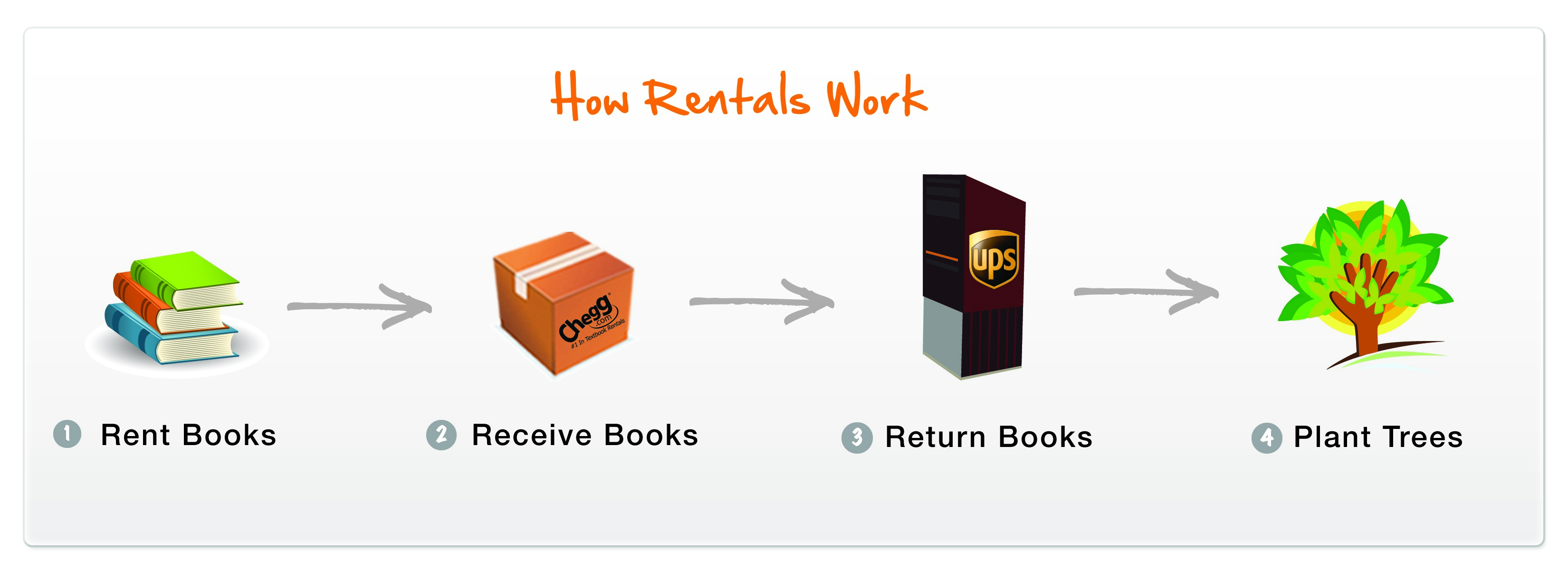
 Leasing textbooks is exactly as it seems: college students may rent as many hardcopy textbooks as they might need for the upcoming semester or year. By renting books instead of purchasing, students immediately reduce the overall cost burden of this aspect of their education. In some cases, the savings can be as much as 80%, especially if a text is brand new.
Students may also select the needed books online from their own computer and then have them delivered directly to their dorm room or apartment. No waiting in long lines just for the chance to spend gobs of money.
Chegg.com
A Santa Clara, California-based company, Chegg.com is one such marketplace for renting textbooks online. The concept is considered so forward-thinking that the company recently raised $25 million in investment funding from a number of high profile venture-capitalists.
The additional financing will enable the company to pursue an aggressive growth strategy. With the funds, the site will be able to provide enhanced services including the expansion of its textbook rental catalog.
Adding to the Chegg process, students may also purchase texts from the online site. Students will also know at the time of purchase what they can expect for a possible cash return should they decide they do not want to keep the text.
Support for the Environment
The company, founded in 2005, understands the concept is a green issue as well. Clearly, over time the number of books being produced and wasting away on shelves will be reduced saving countless resources.
At the same time, to reinforce an environmental message, Chegg plants one tree for every textbook rented. Since getting the textbook leasing option underway, the company has planted over 150 city blocks worth of trees.
Decision Time
There could well be books that students do want to purchase as they could be potential future resources while on the job. Texts in courses related to one’s major may not be ripe for the leasing process.
However, the ability to both purchase or lease online means that Chegg is a site students should definitely consider. While the influx of capital should greatly enhance their library of text offerings, Chegg currently offers over 1 million books to choose from.
Students looking for a better process and cost savings may want to pay Chegg.com a visit prior to making their spring semester book purchases.
Flickr photo courtesy of wohnai.
Ironically, most students who seek campus employment do so because of the desire to help fund their education. Yet, talking with two student bloggers, Amelia Possanza (2012) of Swarthmore College, and Yuri Ozeki (2009) from the University of Illinois, working on campus is an integral part of their overall college experience.
On Campus Employment
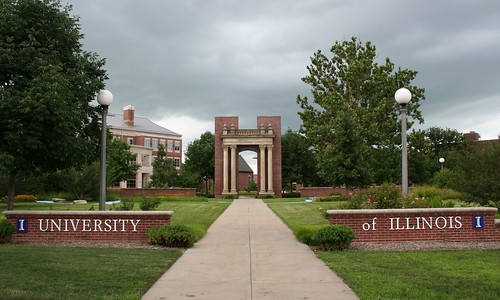
Amelia Possanza, a freshman at Swarthmore College, found the perfect work opportunity for her at the school’s performing arts center. Having done a great deal of technical theater work for fun in high school, Possanza utilized her prior experiences to secure a regular position at Swarthmore as a scene shop foreman.
The native of Pittsburgh has kept her hours to a minimum in the early going, especially given her involvement in athletics as a member of the swim team. In her first semester, Possanza does two shifts of two hours each week.
As for budgeting her time, Possanza learned in high school that doing school work for hours on end never really got her anywhere. “What works for me,” explains Possanza, “is studying for awhile and then doing some physical activity that allows my mind to mull over the concepts and sub-consciously work stuff out.”

The freshman minoring in Latin American Studies loves the physical nature of working and building sets. “Cutting wood and putting in screws gives me an opportunity to do something with my hands and take a break from mental exertion.”
Possanza also is quick to point out that she has learned a great deal from her work experiences, teachings that she might not otherwise receive in the classroom.
“Technical theater is all about problem solving, especially problem solving for problems that no one has ever encountered before,” she notes. “How can we make this plastic well look real? What can we attach to this metal bar to make it longer?”
“I love it because there is no right answer, only a method to approaching such problems.” As for gaining additional skills, Possanza adds, “I’m obtaining practical skills, such as saw use and drafting, that could help me get a transitional job in the future.”
Yuri Ozeki of the University of Illinois manages to hold down three on-campus jobs simultaneously. The senior works anywhere from 25-30 hours a week with a chunk of that time coming on weekends.
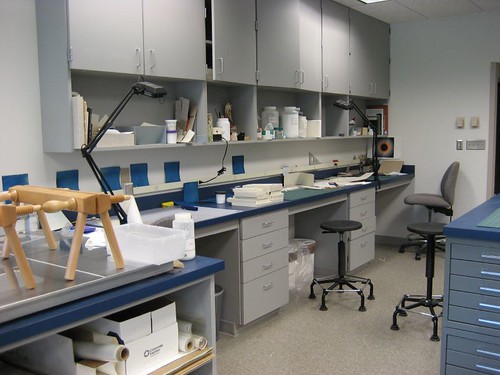
The bulk of Ozeki’s work hours come as a facility manager at the Urbana-Champaign’s Division of Campus Recreation. Her two older sisters worked at the facility when they attended Illinois and encouraged their younger sibling to consider it as well.
My campus recreation job is very flexible,” states the 22-year-old. “I work with other facility managers to create a work schedule that we are all happy with. Typically, I have two morning shifts during the work week, then, I try to pick up two weekend shifts.”
In addition to the 10 or 12 hours she spends each week at her campus recreation employment, the News-editorial journalism major puts in time as a writing intern at the University’s Office of Admissions. Though she has a relatively routine schedule, working four hours each Monday, Wednesday, and Friday, she acknowledges that the office has been very willing to recognize how important her education is to her.
“Some weeks, I have two or three class projects due,” the senior notes, “so I won’t work as much but then the next week, I’ll try to be in for longer shifts three times a week.”
To further her writing skills, Ozeki also took a copy-editing position at the campus newspaper, The Daily Illini. As a freshman, she also served as a reporter for the paper. “I work once a week and attend occasional meetings and training sessions,” she explains.
But while school is definitely her primary responsibility, Ozeki, like Possanza, insists that her work experience is rounding out her college education very nicely.
“My various jobs are really contributing to my education just as my classroom work is, so I see it as time well spent. When I’m working, I don’t necessary see it as ‘working’ or see it as something removed from my purpose of being in college: my education.”
Additional Peer Group
In addition to the overall work experience, each setting provides students another set of individuals to become acquainted with. Possanza acknowledges that her work in the theater does not bring her in contact with many classmates.
“I don’t work with many other students,” explains the Swarthmore freshman. “But the full-time technical theater crew that I work with is full of fairly young people who constantly teach me about new music. They also had very different college experiences than I did.”
“I have also met a few part-time people who are trying to start a career in technical theater, so they take on whatever jobs they can get. It’s so interesting to talk to people who are out in the ‘real world,’ especially since college can be such a bubble.”
For Ozeki, her work at the Daily Illini brings her into contact with fellow journalism majors. She notes, “It’s important to have a support network of people who are going through the same experiences.”
But she also quickly adds that her work at the Office of Admissions and Campus Recreation brings her into contact with people from many different fields. “Working with people who have different perspectives and ideas only help me to widen my skill sets and viewpoints,” she insists.
“At Campus Recreation, there is just a plethora of student employees. I really enjoy working there because it’s just a hub where a great variety of people are able to come together to accomplish the same goal. And our patrons and members are fellow students from every major and minor imaginable.”
Balancing Responsibilities
When it comes to balancing the responsibilities of school and work, both young ladies are clear that work actually helps them handle this task. Both also have schedules that would likely wear down the typical student.
 Possanza of course also has to budget extensive time for swim. “The swim season officially started at the end of September and runs until the end of February,” states the 18-year-old. “We have practice everyday, except Sundays, for two hours. Meets can take longer, especially if they’re away.”
However, the freshman insists her schedule as constructed is very manageable.
“This semester the balance doesn’t seem too difficult because all first semester freshmen at Swarthmore are pass/fail,” adds Possanza. “But in the future I expect that this job will help with the balance.”
Ozeki acknowledges her preponderance of work time might be more than a bit unusual.
“I really just like working,” she says. “I keep piling on new jobs because I just enjoy new environments and working with new people. It sounds weird, but it’s true.”
Still she recognizes the need for budgeting her time accordingly.
“It can be difficult to manage study and work time, but it all comes down to prioritizing your responsibilities,” states Ozeki. “I’ve been fortunate enough to have very understanding employers and co-workers that know that some weeks are worse than others in terms of my work load.”
Getting the Most from College
Many students regard college as a full time commitment. Yet when pressed, those same students acknowledge that there is always time for other activities over the course of each week.
The question always comes down to what we do with those hours. Certainly, spending time socializing with peers is one of the preferred activities, both for its pure enjoyment as well as for taking one’s mind off the stresses associated with papers, prelims, and projects.
 Yet, as Possanza and Ozeki point out, spending a few hours a week working can also provide a great break from the study routine. In addition, that work can provide a wealth of additional learning opportunities as well as an interesting set of new acquaintances.
Given the costs of a college education, students should want to maximize their experience. Working in one of the many on-campus settings is one way to ensure that you get the most you can from your college years.
Flickr photos courtesy of Colin Purrington and almostincognito.
There is little doubt today that internships are a critical aspect of a college student’s preparation for future work opportunities. Not only do internships create a network of future employment options, a well-chosen opportunity will help you apply your knowledge and skills in a real work environment.
 Most often, an internship is considered a trade-off, a swap of your time versus the chance to earn some serious cash. However, in today’s troubled economy, many students are finding that not only have the job opportunities dried up but internships are also exceedingly hard to come by as well.
In tough economic times, you just might need to create your own prospects. Here are six steps to help you secure such an opportunity.
1. Talk to Your Professors: The first step is to let your professors and your advisor know you are looking for an internship. Simply stated, these folks have connections to a multitude of professional people. Not only might they know of a possible option, if these individuals know you well enough they might even lobby a colleague on your behalf. And there is always the chance they themselves might take an intern to help with a specific project or some research. But they cannot help you if they are not aware you are looking for an internship.
2. Talk to Your Parents and Extended Family: Ditto number one. Any working member of the family could have similar connections. More importantly, they could be your strongest lobbying agent for a position. Be aggressive and follow up on all possible leads.
3. Attend a Career Fair:  Take the time to attend a career fair to research companies that you would enjoy working for even if they are not hiring. Talk to the key people and introduce yourself, then get their card. Later, construct a letter of interest to the person you met that first indicates how impressed you were with the company followed up with indications that you would welcome an internship opportunity should anything become available.
4. Consider Community Service: Yet another option is to examine those entities looking strictly for volunteers for some form of community service. Here again, think through the options so that you find a non-profit that would also offer you the chance to use your skills to help perform some additional meaningful opportunities. One student we know volunteered at a food bank. While the majority of the time was spent stocking shelves and doing inventories and paperwork, she was given the chance to use her technology skills to help set up a system to automate some of these tasks. While much of her time at first was unpaid, as time progressed the agency began to pay her for the hours she spent automating the agency’s record keeping.
5. Have a Polished Packet Ready: If you are going to pursue your own option, you must plan ahead and be fully prepared to submit a packet at a moment’s notice. Have your resume up to date and polished – use the campus career center to help you put together a quality product. In addition, have a roughed out cover letter that hits the basics about you but leaves room for you to tailor the letter to the company or person you are applying to. Resist using the same cover letter over and over again – to give the impression that you are totally interested in an opportunity with that company the letter must be unique to that business.
6. Do Mock Interviews:  Lastly, make an appointment at the career office at your school to conduct a mock interview. Try to get written feedback and go back to the dorm to rehearse further before doing yet another mock up. Try to get the second one taped if you can and again solicit written feedback to help you hone your skills. The bottom line, if there are four people interviewing for a possible internship, the one that makes the best impression will likely get the opportunity. A skilled performance can even overcome an average GPA.
Ultimately, in these tough economic times, be aggressive and prepared so as to seize the right opportunity when it presents itself.
Flickr photos courtesy of unforth, yngrich and vlasta2.
 Are you going on a trip for spring break? You may be overwhelmed with school, but you should start looking forward to spring break now (which will hopefully make your classes a lot less stressful too!) Here’s how you should prepare:
Book now. It’s better to book early than later, because fares will go up for trips as you get closer. Also, if you’re traveling in a group, you likely won’t have seats next to your friends because the seats will sell out. The sooner you book, the better off you’ll be.
Look at all-inclusive packages. One winter break, my friends and I went on an all-inclusive hotel+airfare trip to Vegas. It was totally awesome and very cheap compared to buying airfare and hotel separately. It helps a lot to limit your expenses by doing trips like this where the prices are spelled out for you beforehand and not after you arrive.
Overcrowd your hotel room. If you want to make the most of your money, have a long slumber party in your hotel room. Get cots for your friends and split the cost 4 or 5 ways.
Bring your food. Eating out is costly. Bring snacks and other food to nosh on so that you don’t have to pay the high costs for eating. Don’t forget that hotels have bars and buying it is not cheap at all.
Take public transit. Think about it this way: public transit is often cheaper than a cab. If you must do cab, pack in as many people as is allowed legally and split the bill.
Can’t travel? Make the most of your spring break anyway. Take advantage of the local hotspots or just hang out and enjoy the spring with our without your friends. Either way, you’re in for a great time.

If you’re just back in the school groove and looking to buy the cheapest textbooks around, fret no further. Here’s where you should look to get some hot deals on textbooks.
Other resources: